If you want to swap tokens, interact with dApps, and explore early token launches from one place, Binance Web3 Wallet is built for that. It supports multiple networks (such as Ethereum, BNB Chain, Polygon, Arbitrum, Optimism, and more) and is designed for seamless on-chain activity from a single interface.
Binance Web3 Wallet %30 Discount Link: https://web3.binance.com/referral?ref=18289035
Create your Binance Web3 Wallet
Steps:
- Go to Binance Web3 Wallet Page
- Then click on the ‘Log In’ section.
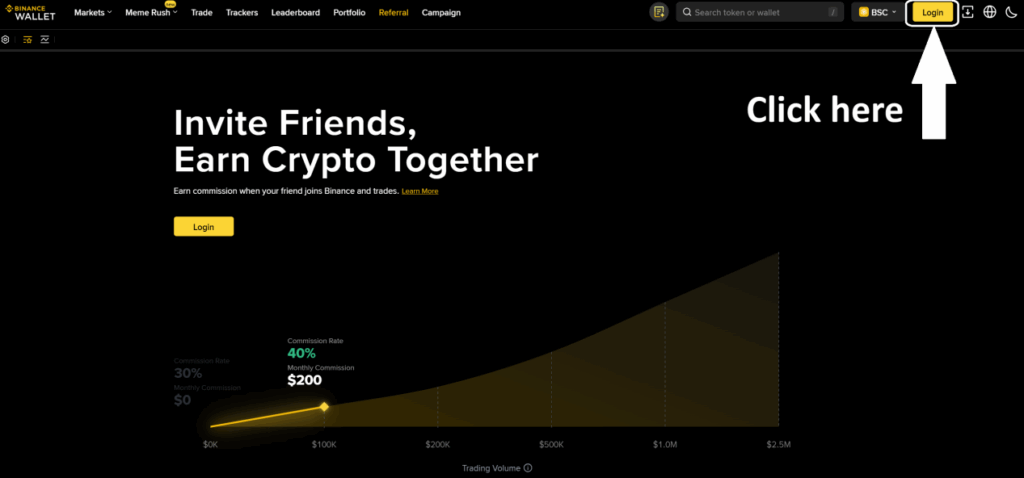
3. After that, your account will be set up with a 30% fee discount.
If you’ve created your Web3 Wallet but can’t see the commission discount, you can activate it manually. Select the Referral section at the top .
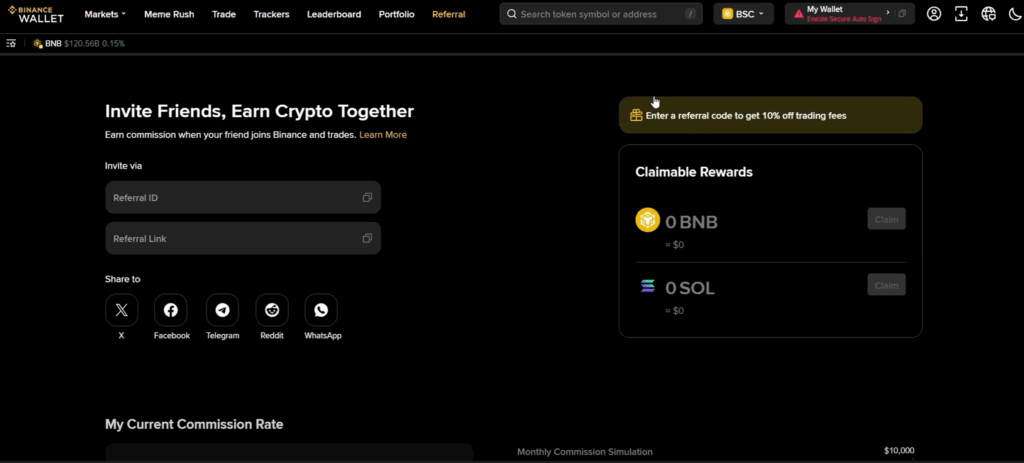
The Referral ID field, enter the following code: 18289035
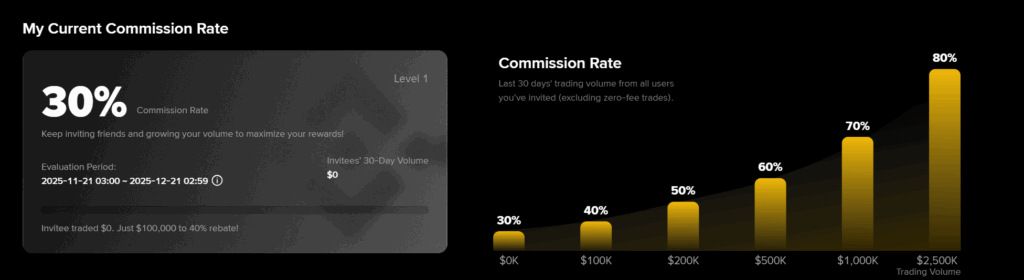
That’s it. You can now use your Binance Wallet with a 30% fee discount
How to Add Funds to Binance Wallet
First, click on the ‘Deposit’ section in the top right corner. Then, you will see two options
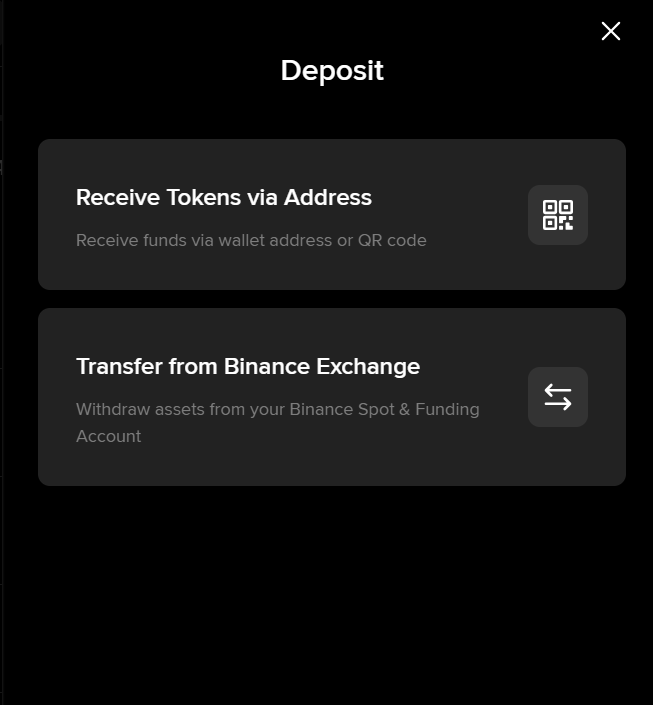
You can transfer funds directly from your Binance account, or receive tokens from another exchange or wallet by using ‘Receive tokens via Address’.
This means you can now begin using your wallet.
Binance Wallet Interface Overview
At the top of the Binance Wallet interface, you will see several tabs.
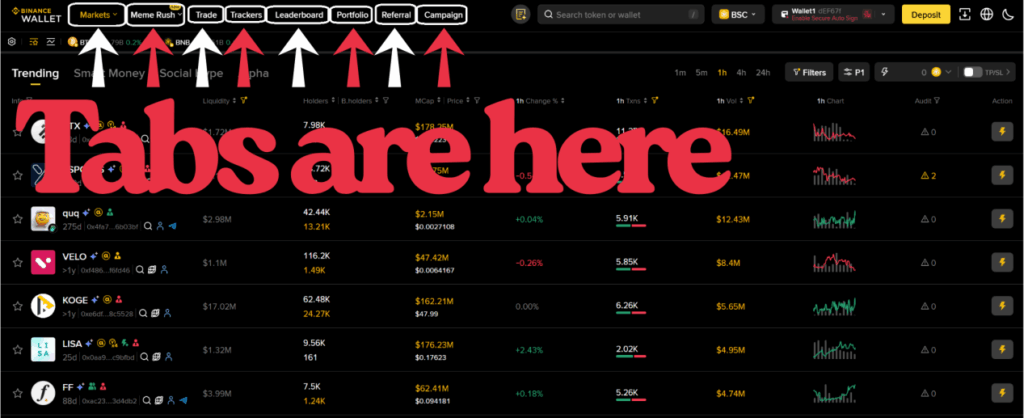
Here’s a breakdown from left to right:
1. Market:
Here, you can browse tokens, click on any token to view its details, and trade it. You can also explore token lists under Trend, Smart Money, Hype, and Alpha categories.
2. MemeRush:
This section shows newly launched tokens on FourMeme and PumpFun. There are significant profit opportunities here.
To learn How to Use MemeRush, you can read our dedicated article.
3. Trade:
This is where you can buy and sell tokens. Both limit and market order options are available. You can also analyze token charts, holders, and other on-chain details.
4. Trackers:
Here, you can track transactions made by KOL and Smart Money wallets. In the Social Alerts section, you’ll instantly see the latest posts shared by accounts you follow.
5. Leaderboard:
This section displays top-performing trader wallets based on their 7-day trading performance, allowing you to analyze successful strategies.
6. Portfolio:
Here, you can view your wallet address, assets, and detailed portfolio information.
7. Referral:
This section allows you to view your referral details, track earnings from commission discounts, and withdraw your rewards.
8. Campaign:
Here, you can see ongoing campaigns and events organized by Binance Wallet.